


Coil64 for 64-bit Windows

Checksum Coil64-amd64-2.4.39-setup.exe:
CRC32: 491667f3
MD5: 393c91e3693b4396f02dc366db48cb9d
SHA-256: 2216b7df2f4db22bfce312150b0ce64ca88b0b6c4393c5ba2978fe72a8ef90bc
The program is installed in the usual way. Once installed it is visible in the installed programs list. Removing the program should also be made through the applet "Install and Remove Programs" of the Windows Control Panel. The app settings are stored in file "%USER%\AppData\Roaming\Coil64\Coil64.ini". You can keep it for the future installations or remove manually to completely clean the app from your system.
Warning! This Coil64 app is only for 64-bit versions Windows 7, 8, 8.1 ,10. For the 32-bit versions Windows 7, 8, 8.1,10 you can get installation file here. The Windows XP users have to download Coil64 for Windows XP.
Also you can download the portable 64-bit version of the Coil64: Coil64-windows-amd64-portable.
Subscribe for updates
Subscribe to receive notifications about Coil64 updates on your Email. You can unsubscribe at any time. Subscription is by the ZOHO service.
Ads on the site
Thanks
RK3AQD, RA1QEA, UA9CTU, RA3MB, RA3SI, UA3GGP, UT2LK, UR3LUC, UR6HDX, UA6IGI, RN1NFJ, UN8GW, RA9SVY, EA1DDO, 9A3SW, SP9IZM, PD2HPS, KC9USI, SV3ISD, DL6ABM, PA0HRP, W2ASC, G0NMY, PY2CSH, VK2OMD ex VK1OD, M7DPX, K7TLE, ES6CO, IK8XOO, TA4IV, N4ENG
as well as
Eddy71, Milos Jovanovic, Yogesh Karale, Pedro Alamo, Károly Stumpfl, Teodor Zafiroski, Shahrokh Mostaghimi, Ngo Huy, Van Watts, Bob Mellor, Hsiyung Ku, Jack Wojslawowicz, Barış Akgül, Carlo Mozetic, Edgar Enriquez, Eric Pruvot, Artur Soares, Ciornea Lucian-L, Paulo Romani, Uwe Braun, Bruce McBean, George Overton, Arild, Dmitriy Vetrov, Igor Gagrin, Srdjan Colic, Gajdács András, Yuri Sorokin, Edgar Rios, Vort, vince-er, Antonio Martusciello, Doãn Lương Ngô, Valeriy Tsibanov, Daniel Lukach, Scott Lentz, liyanboy74, fkjubitch, TransistorMan.
Special thanks for:
RA3PKJ - Nick Abramenko,
Vladimir Kuznetsov,
Robert Weaver,
G3YNH - David Knight,
G3RBJ - Alane Payne
Visitors from
Recent Hits
Coil Winding Machine
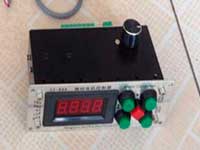
US $49.71
LC Meter LC200A
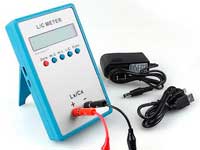
US $29.85
0.01 pF - 100mF Measuring Inductance Range: 0.001 uH - 100H Measurement accuracy:1%.
RF Inductors
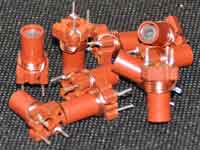
US $6.43
Auto Ranging LCR Meter
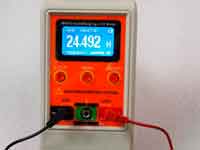
US $54.28
Screenshots


Comments latest
One-layer inductance coil calculator
04.09.2026 07:05Thank you for the incredibly helpful app, and I wish you continued success. gl 73,-
Written by: RudiOne-layer inductance coil calculator
02.09.2026 14:31I am trying to build a bandpass filter for 144-148 MHz and your calculator is very helpful. 73
Written by: Francisco OA4CKN